
Directorate of Information Systems and Technology – Websites have become an essential part of everyday life. They are used to provide information, sell products, deliver online services, manage systems, and communicate with users. But have you ever wondered how websites work when you open a web page in a browser?
In simple terms, how websites work involves several important components, including the user, web browser, internet connection, web server, database, and web application.
This article explains how a website works step by step, from the moment a user enters a website address until the web page appears in the browser.
What Is a Website?
A website is a collection of interconnected web pages that can be accessed through the internet using a web browser. Each website generally has a unique address, known as a URL (Uniform Resource Locator), such as www.example.com.
Websites can be used for many different purposes, including:
- Providing information and news
- Selling products through online stores
- Providing public or business services
- Displaying portfolios
- Managing academic or administrative systems
- Promoting products, services, and organizations
To function properly, a website relies on several components that communicate with each other.
How Do Websites Work?
In general, how websites work begins when a user requests a web page through a browser. The browser sends a request to a server through the internet.
The server receives the request, processes it, and sends a response back to the browser. The browser then interprets the response and displays the website to the user.
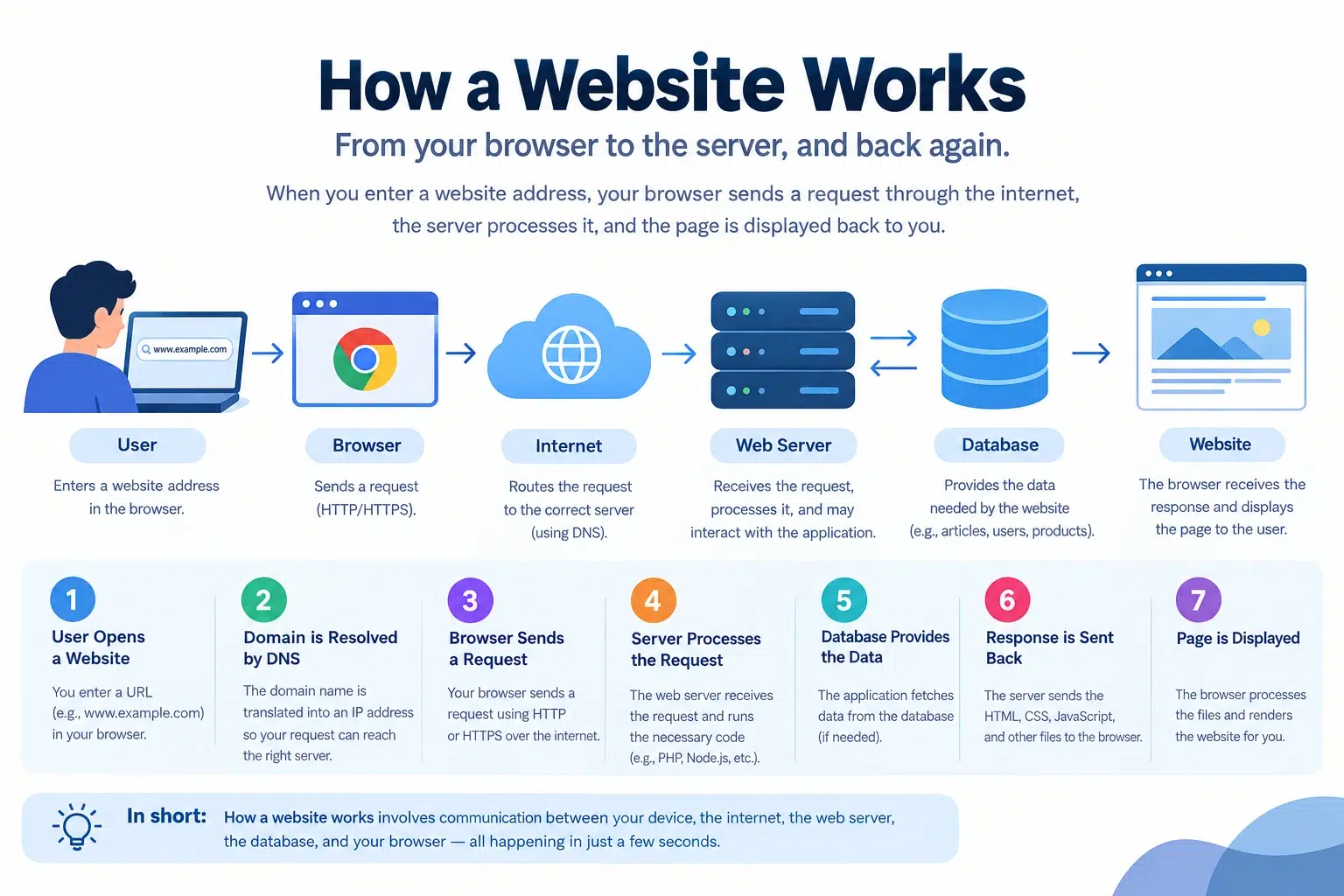
The basic process can be illustrated as follows:
User → Browser → Internet → Web Server → Database → Web Server → Browser → User
This diagram illustrates the relationship between the user, browser, web server, and database during the process of loading a website.
1. The User Opens a Website
The process begins when a user opens a web browser such as Google Chrome, Microsoft Edge, Mozilla Firefox, or another browser.
The user then enters a website address or URL, for example:
https://www.example.com
The browser reads the URL and starts the process of finding the server where the website is hosted.
2. The Domain Name Is Translated Into an IP Address
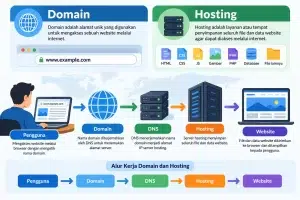
When a user enters a domain name, the browser needs to know the IP address of the server where the website is hosted.
This process is handled by the Domain Name System (DNS).
For example:
Domain:
www.example.com
The DNS system translates the domain into an IP address, such as:
203.0.113.10
DNS can be compared to an address book for the internet. It helps computers find the correct server using an easy-to-remember domain name.
3. The Browser Sends a Request to the Server
Once the browser knows the server’s IP address, it sends a request through the internet.
This request generally uses the HTTP or HTTPS protocol.
For example, when a user opens:
https://www.example.com/news
the browser sends a request to the server asking for that particular page.
4. The Web Server Processes the Request
The request is received by a web server.
Some commonly used web server technologies include:
- Apache
- Nginx
- LiteSpeed
- Microsoft IIS
The web server is responsible for receiving requests and determining how they should be processed.
If the website contains static files, the server can directly send files such as HTML, CSS, JavaScript, images, and other resources.
However, if the website uses a dynamic system such as WordPress or a PHP-based application, the server may need to execute application code before generating the response.
5. The Server Communicates With the Database
Dynamic websites often use a database to store information.
For example, a database may contain:
- User information
- Articles
- Products
- Comments
- Website settings
- Transaction data
Common database technologies include MySQL, MariaDB, PostgreSQL, and MongoDB.
For example, when a user opens a news article, the website application may request the article information from the database.
The process can be simplified as:
Browser → Web Server → Web Application → Database
The database then returns the requested information to the web application.
6. The Server Sends a Response
After processing the request, the server sends a response back to the browser.
The response may contain different types of resources, including:
- HTML
- CSS
- JavaScript
- Images
- JSON
- Other files
The browser receives these resources and prepares them for display.
7. The Browser Displays the Website
The final stage occurs when the browser processes the resources received from the server.
HTML defines the structure of the page.
CSS controls the visual appearance, including colors, fonts, spacing, and layout.
JavaScript adds functionality and interactive features.
After processing these resources, the browser displays the completed web page to the user.
A Simple Example of How a Website Works
Imagine that a user wants to read an article on a news website.
The process may look like this:
- The user opens a web browser.
- The user enters the website address.
- DNS finds the server’s IP address.
- The browser sends a request to the server.
- The web server receives the request.
- The web application processes the request.
- The application retrieves the article data from the database.
- The server sends the response back to the browser.
- The browser processes the HTML, CSS, JavaScript, and images.
- The article appears on the user’s screen.
Although the process looks simple from the user’s perspective, many operations can take place within just a few seconds or less.
Static Websites vs. Dynamic Websites
Based on how content is processed, websites can generally be divided into two categories: static websites and dynamic websites.
Static Websites
A static website usually displays content that does not change frequently. The server can directly deliver the required files to the browser.
Examples include:
- Simple landing pages
- Company profile websites
- Portfolio websites
- Basic informational websites
Dynamic Websites
A dynamic website can generate or display content based on data, user requests, or interactions.
Examples include:
- News websites
- E-commerce websites
- Academic information systems
- Social media platforms
- Government information systems
Dynamic websites generally involve programming languages, backend applications, and databases.
Main Components of a Website
Understanding the main components makes it easier to understand how websites work.
| Component | Function |
|---|---|
| Domain | The address used to access a website |
| DNS | Translates a domain name into an IP address |
| Browser | Displays the website to the user |
| Web Server | Receives and processes requests |
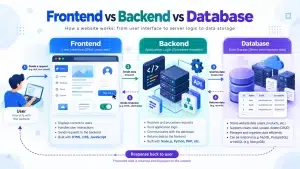
| Backend | Handles application logic |
| Database | Stores website data |
| HTML | Defines the structure of a web page |
| CSS | Controls the visual appearance |
| JavaScript | Adds functionality and interactivity |
| Internet | Connects the user with the server |
Why Is Website Performance Important?
The way a website works is closely related to its performance. The longer a server takes to respond or the more resources a browser needs to download, the longer it may take for the page to appear.
Several factors can affect website performance, including:
- Hosting and server quality
- Image file sizes
- Number of CSS and JavaScript files
- Database performance
- Caching
- Code optimization
- User network conditions
- Content Delivery Networks (CDNs)
For this reason, website optimization is important for improving loading speed and providing a better user experience.
Conclusion
How websites work can be understood as a communication process between users, browsers, servers, applications, and databases.
When a user opens a URL, the browser sends a request through the internet to the appropriate server. The server processes the request, retrieves the necessary data, and sends a response back to the browser. The browser then processes the HTML, CSS, JavaScript, images, and other resources before displaying the web page.
Understanding how websites work is an important foundation for anyone interested in web development, website security, SEO, or server management.
By understanding this process, it becomes easier to identify how websites operate and which components need to be optimized when a website experiences performance or technical problems.